
Everre
AI-native CRM for commercial real estate brokers. Built to collapse workflows into one tool; automating back office tasks to free up brokers' time to build relationships.
Setting the scene
Everre (pronounced ever-ree) was built while working in multifamily investment sales At Interra Realty. I was a member of a small team with two other brokers. Brokers are responsible for all parts of their business, from prospecting through underwriting and valuation, marketing for sale, negotiating contracts, and ensuring a smooth closing. This meant lots of tools with no connectivity throughout the process.
The flow looks something like this:
- Visit a property. Document condition and photograph.
- Underwrite the property. In Excel, manually keying in the rent roll and expenses from the owner. There may be differences, like whether there is deferred maintenance or substantial construction needed, but generally underwriting is template-able.
- Validate underwriting with rent and sales comparablesn from platforms like CoStar, Reonomy, Zillow, and others. This again requires a fair amount of copy and paste and data entry.
- Create marketing materials (offering memorandum, social media posts) in tools like Buildout and Canva. The process is largely re-entering the information from underwriting and comps, then adding photos and narrative. Up to this point, lots of manual data entry to get the same data into different systems.
- Pick up the phone and start calling. Owner and investor information was tracked in a CRM. The goal is to get the property the most exposure and get potential buyers out to tour it. Calls, meetings, and tasks tracked in the CRM. These calls are also an opportunity to source new listings.
- Tours and contracts. If all goes smoothly, the property will be put under contract, which kicks off a whole new set of tasks: property inspection, attorney review, closing. These lived in notebooks and calendars.
There were two findings in this process that I needed to solve for. First, there were simply too many tools that didn’t talk to each other. The same data needed to be entered in multiple places, the data would go stale, and there were multiple places to look for relevant information. Second, most of the manual work was repeatable: entering the same data into the same templates or platforms. A prime opportunity for automation.
What is in it
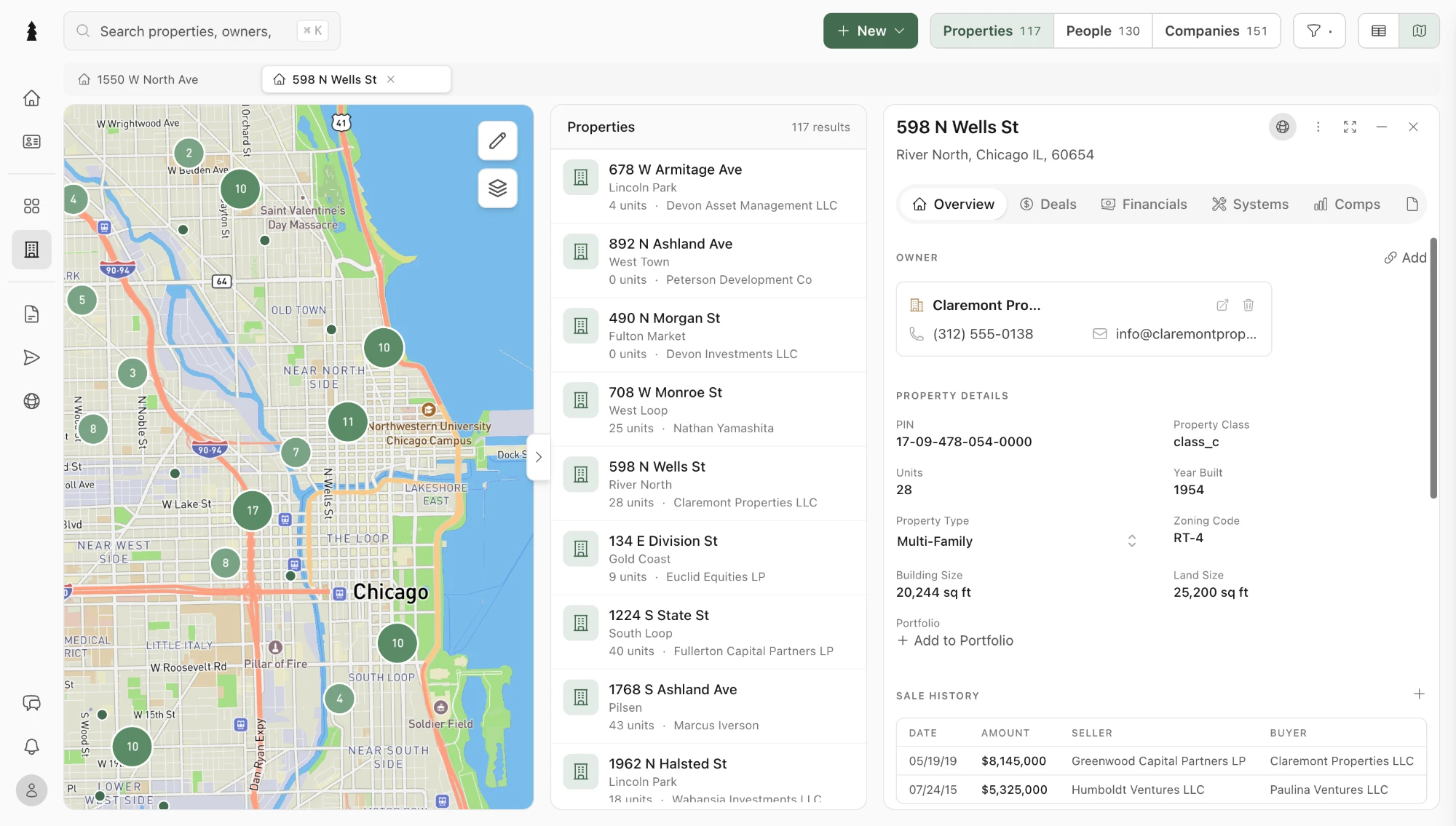
One database for contacts, properties, and companies, and every workflow in the flow above built on top of it, so a number entered once shows up everywhere it is needed.
Database & CRM
- People, properties, and companies in a spreadsheet-style grid with formulas, range selection, and undo
- Deal pipeline with stages, activity feed, and tasks
- Map view of properties and comps
- CSV and spreadsheet import with duplicate matching
Underwriting
- Rent roll, expenses, and other income per property
- Versioned financials with side-by-side scenarios
- NOI, cap rate, and returns computed by one engine, never by hand
- Rent rolls and T-12s extracted from PDFs and workbooks, every figure verified against the source
Marketing
- Presentation builder for offering memoranda, flyers, and pitch decks, bound to live property data
- Property websites published to the broker's own domain
- E-signature with an ESIGN/UETA audit trail
- Client portal for sharing documents and updates
Communication
- Gmail and Outlook sync, sending from the broker's own mailbox
- Email campaigns to segments of the database
- Automations: standing instructions that run on a schedule
Property data
- 4.16M parcels nationwide, ingested from county assessor and recorder endpoints
- Recent sales and ownership for prospecting and comps
- Enrichment waterfall across data providers with caching
AI layer
- Built on OpenRouter, offering users model flexibility
- In-app AI that plans, executes, and stops for approval w/ access to 105 platform capabilities
- MCP server and OAuth so Claude or ChatGPT can work in your data
- Personal email agents that take action when you send or forward email
See Everre in action
Find and enrich data
Prospecting starts on the map. A broker draws an area and gets every building inside it, whether or not it is already in their book. The records are thin at first, so Add data lists what is missing (building and land size, year built, assessed and market value, zoning) with where each value comes from and what it costs. It fills the columns in the background, and every value keeps the source it came from.
Pipeline
Every deal the firm is working sits on one board, grouped by stage, from first call to closing. One search box finds a deal in any stage without setting a filter. Opening a deal shows what a broker needs before picking up the phone: price, size, the counterparty and days on market. Every tour is logged against the deal with its attendees and notes, and every offer and counter is tracked with its status, so the pipeline is where the deal lives rather than a spreadsheet beside it.
Database, views and formatting
Every property, person and company sits in one grid. A view is a filter you keep: here a broker narrows the firm’s large multifamily to buildings worth ten million and up, colours the pre-1920 stock amber with a formatting rule, saves the result as a view the whole firm can open, and then opens the underwriting behind a row.
Presentation and website builder
Offering memoranda and property websites are built from the firm’s own templates and bound to the property’s underwriting, so every price, NOI and cap rate is read from the data rather than typed. The assistant writes the narrative around those figures and checks each number it writes against the property before the broker sees it.
Architecture
The system is small in shape and wide in surface: one API, one policy, one registry of things an agent may do, and three ways to reach it.
Tooling
Frontend
API
AI
Data
Services
Infra